

*Prime Lock is being provided as part of a limited pilot program for evaluation and testing purposes. Eligibility to receive and retain the complimentary Prime Lock is expressly conditioned upon your execution of, agreement to, and compliance with the terms and conditions set forth in the Pilot Program Addendum. Prime Storage reserves the right, in its sole discretion, to revoke your participation in the Pilot Program if you fail to comply with the Pilot Program Addendum. In the event of revocation or non-compliance, Prime Storage may, without further notice, require the return of the complimentary Prime lock and/or charge a fee for the use of the lock to the payment method on file or to your account. By participating, you acknowledge and agree that the product, including its features, functionality, and availability, may be modified, updated, suspended, or discontinued at any time without prior notice. Prime Lock is provided “as is” and “as available” during the pilot phase, and Prime Storage makes no representations or warranties, express or implied, regarding uninterrupted operation, reliability, or fitness for a particular purpose during this testing period. To the fullest extent permitted by law, you agree that Prime Storage is not responsible for losses or damages arising from participation in the pilot program, including personal injury, property damage, loss of stored items, loss of business, lost profits, data loss, or other indirect or consequential damages. Participation in the pilot program does not amend, replace, or modify the terms of your existing rental agreement, which remains in full force and effect.
APP-CONTROLLED SMART LOCK
Prime Lock
Prime Lock is our new, app-connected smart lock that allows you to unlock your unit, share access, and monitor lock activity with your phone.
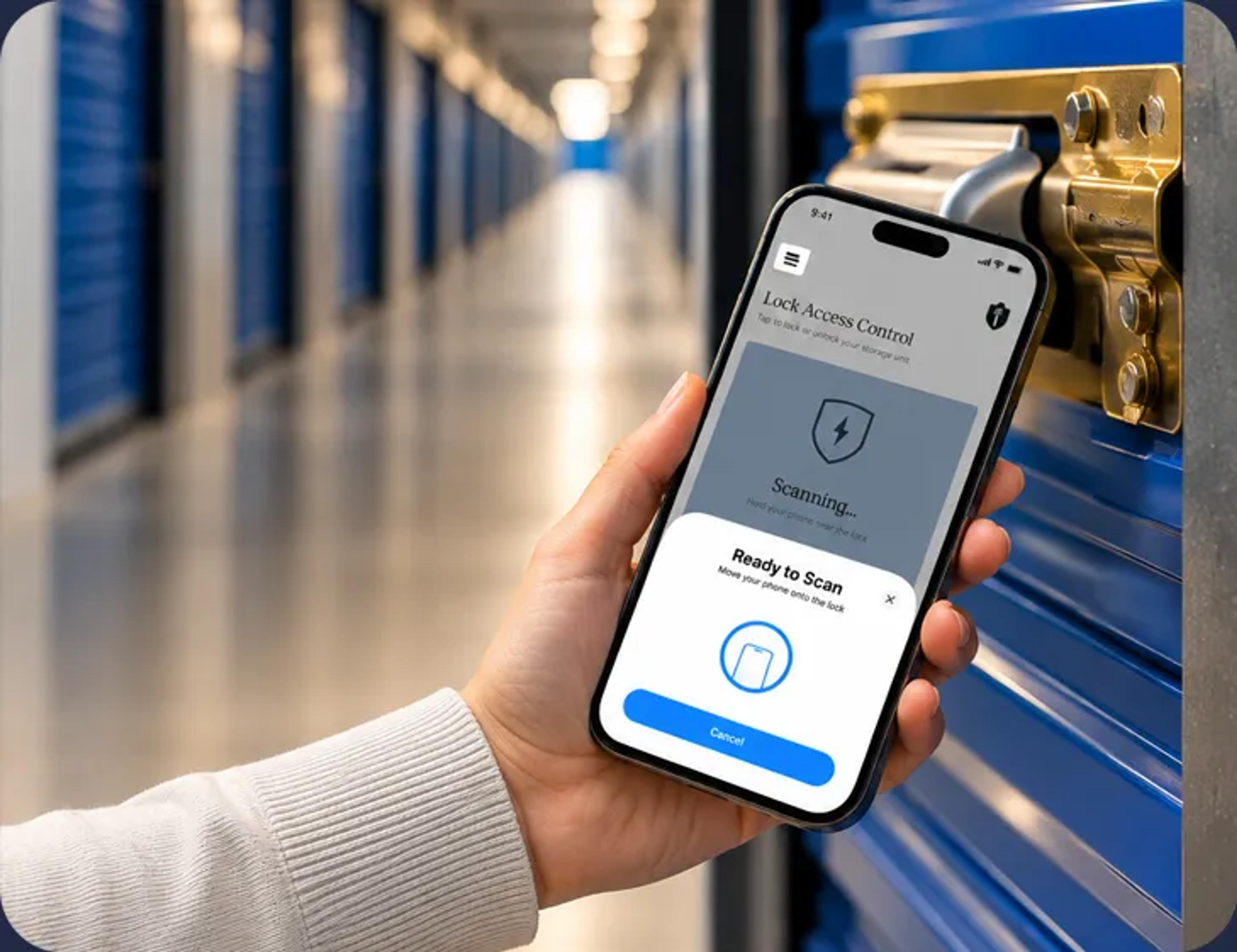
Table of Contents
ABOUT PRIME LOCK
Why Prime Lock?
Keyless Convenience
No keys to lose, no combinations to remember. Unlock your unit with your phone.
Shared Access Control
Instantly share or revoke unit access with anyone, anywhere, anytime.
Visibility & Peace of Mind
Monitor unit access with real-time, in-app activity logs.
Reinforced Protection
Designed to resist common lock-cutting methods that can defeat traditional locks.
Download the App to Use Your Lock
You'll need the Prime Storage app to use your Prime Lock. It's a one-stop spot to manage your account, access gate codes, find current facility information, and more.
MUST-HAVES
Before You Start...
To use your Prime Lock, you’ll need:
- The Prime Storage mobile app
- Your account login
- A smartphone that has NFC (most modern iPhones and Android devices)
Once you complete your lease, your unit will appear in the My Units section of the app and you'll be ready to use your Prime Lock immediately!
INSTRUCTIONS FOR USE
How to Use Your Prime Lock
Start by signing into the Prime Storage app and going to the My Units section. Find the unit you wish to access.
Locking & Unlocking
Unlock Your Unit
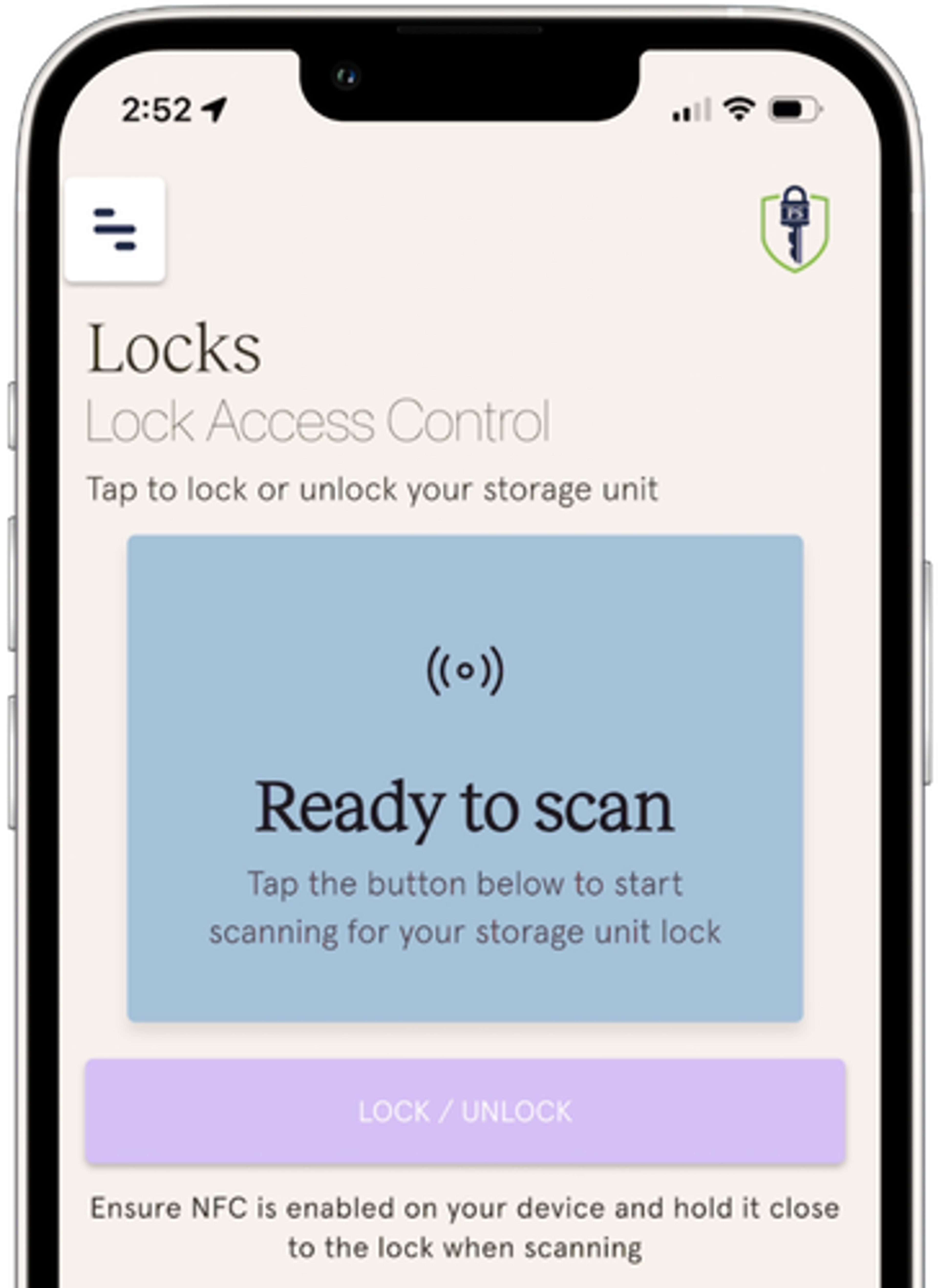
- Under My Units, tap the Lock/Unlock button to go to the Lock Access Control page.
- A Ready to Scan graphic will appear. Tap the Lock/Unlock button at the bottom of the page.
- Place the back of your phone against the plastic side of the lock, right over the Prime Storage logo.
- iPhone: use the area near the back camera
- Android: use the center of the back of the phone
- Hold your phone in place until the success message appears.
The lock should now be open. Having issues? See our FAQ section for troubleshooting or call the Prime Lock help line at (888) 711-2201.
Lock Your Unit
- Close the unit door and place the lock on the latch
- Go to the Lock Access Control page in the app. Tap the Lock/Unlock button.
- Hold the lock closed as you place your phone against the lock. Wait until you see the success message
- Tug on the lock to make sure it's securely latched before you leave.
Troubleshooting tips can be found in the FAQ section. If you're still having issues, call the Prime Lock help line at (888) 711-2201.
Sharing Unit Access
You can grant access to others instantly—no keys required.
Add a Shared User
- Go to the My Units section in the app and find the unit you want to share
- Tap the Share Access button
- Tap Add User
- Enter their:
- First name
- Last name
- Email address
They’ll receive an email with instructions to set up their account and access the unit.
Please note that the facility gate code will be available to the user in the app, but you may wish to send them the code yourself, just in case.
How to Remove Shared Access
- Go to the My Units section in the app and find the unit you want to share
- Tap the Share Access button
- Select the user
- Tap Revoke Access
Access is removed instantly.
How to View Access Logs
Want to know when your unit was accessed?
- Go to the My Units section in the app and find the unit you want to view
- Tap the Share Access button
- Tap the Access Log icon
You can:
- View all activity
- See logs for individual shared users
MORE INFORMATION
Frequently Asked Questions
GET SUPPORT
Need Help?
If you have trouble using your Prime Lock:
- Review the in-app Access Guide
- Call us at (888) 711-2201
- Reach out to your Prime Storage facility manager