

*Prime Lock is offered subject to your execution of, agreement to, and compliance with the Prime Lock Addendum. The monthly technology fee will be waived for the first three (3) months beginning on the date Prime Lock is activated for your storage unit or locker. Thereafter, you will be charged a monthly technology fee of $4.99 for storage units or $2.99 for lockers (as applicable) as Additional Rent unless you complete the opt-out process described in the Prime Lock Addendum. You may opt out by coordinating the removal or disabling of Prime Lock and providing, installing, and maintaining your own lock at your expense. Prime Lock remains the property of Prime Storage, and payment of the technology fee does not transfer ownership to you. Prime Storage may modify, update, suspend, or discontinue Prime Lock as provided in the Prime Lock Addendum, subject to applicable notice requirements. Prime Lock is provided “as is” and “as available,” without warranties, express or implied, to the fullest extent permitted by law. Prime Storage does not guarantee uninterrupted operation or that Prime Lock will prevent unauthorized access, theft, or loss. Use of Prime Lock is subject to the limitations of liability and other terms of the Prime Lock Addendum and your occupancy agreement. Except as expressly provided in the Prime Lock Addendum, your occupancy agreement remains in full force and effect.
APP-CONTROLLED SMART LOCK
Prime Lock
Prime Lock is our new, app-connected smart lock that allows you to unlock your unit, share access, and monitor lock activity with your phone. We're offering 3 months of complimentary use of Prime Lock for select units!
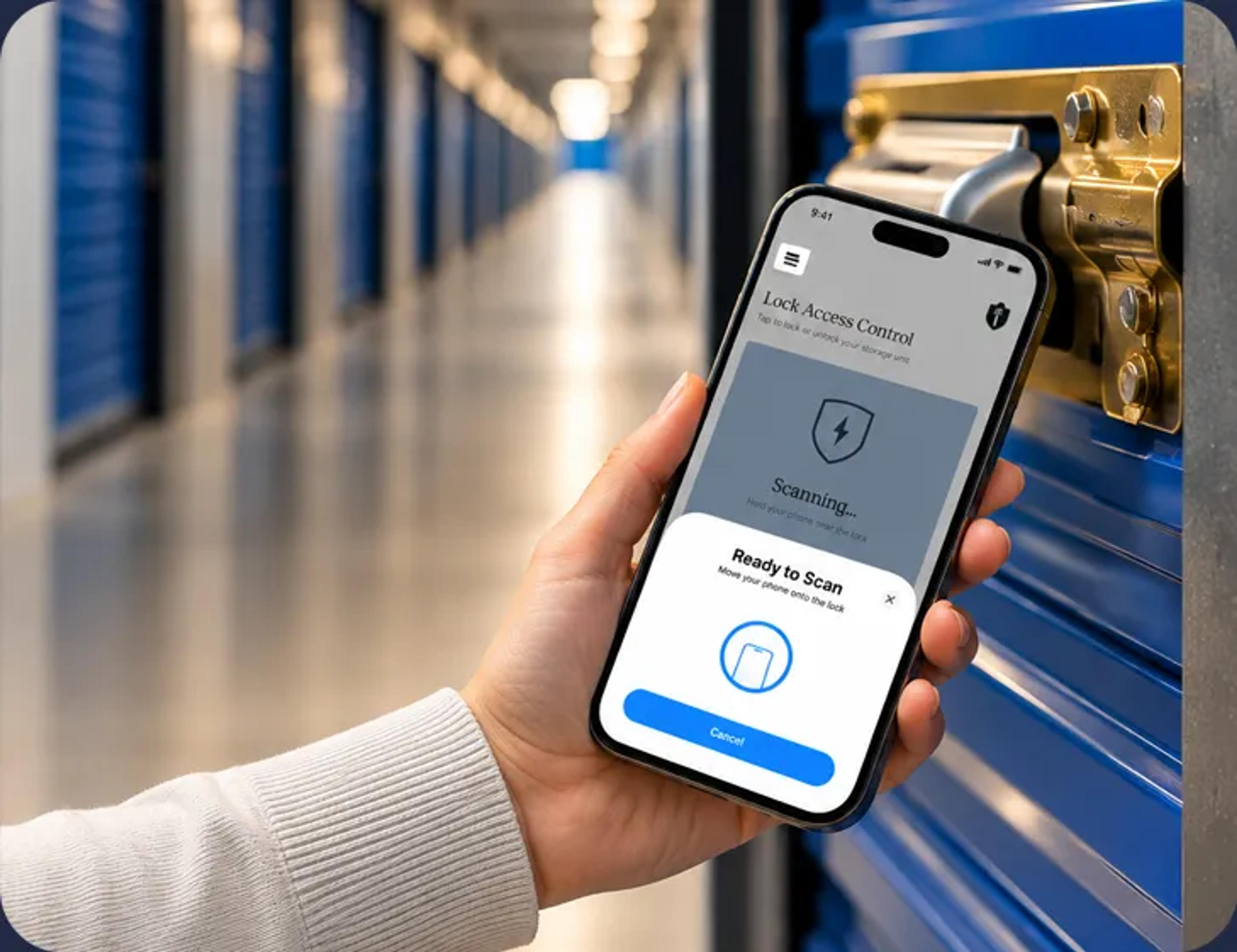
Table of Contents
ABOUT PRIME LOCK
Why Prime Lock?
Keyless Convenience
No keys to lose, no combinations to remember. Unlock your unit with your phone.
Shared Access Control
Instantly share or revoke unit access with anyone, anywhere, anytime.
Visibility & Peace of Mind
Monitor unit access with real-time, in-app activity logs.
Reinforced Protection
Designed to resist common lock-cutting methods that can defeat traditional locks.
Download the App to Use Your Lock
You'll need the Prime Storage app to use your Prime Lock. It's a one-stop spot to manage your account, access gate codes, find current facility information, and more.
MUST-HAVES
Before You Start...
To use your Prime Lock, you’ll need:
- The Prime Storage mobile app
- Your account login
- A smartphone that has NFC (most modern iPhones and Android devices)
Once you complete your lease, your unit will appear in the My Units section of the app and you'll be ready to use your Prime Lock immediately!
INSTRUCTIONS FOR USE
How to Use Your Prime Lock
Start by signing into the Prime Storage app and going to the My Units section. Find the unit you wish to access.
Locking & Unlocking
Unlock Your Unit
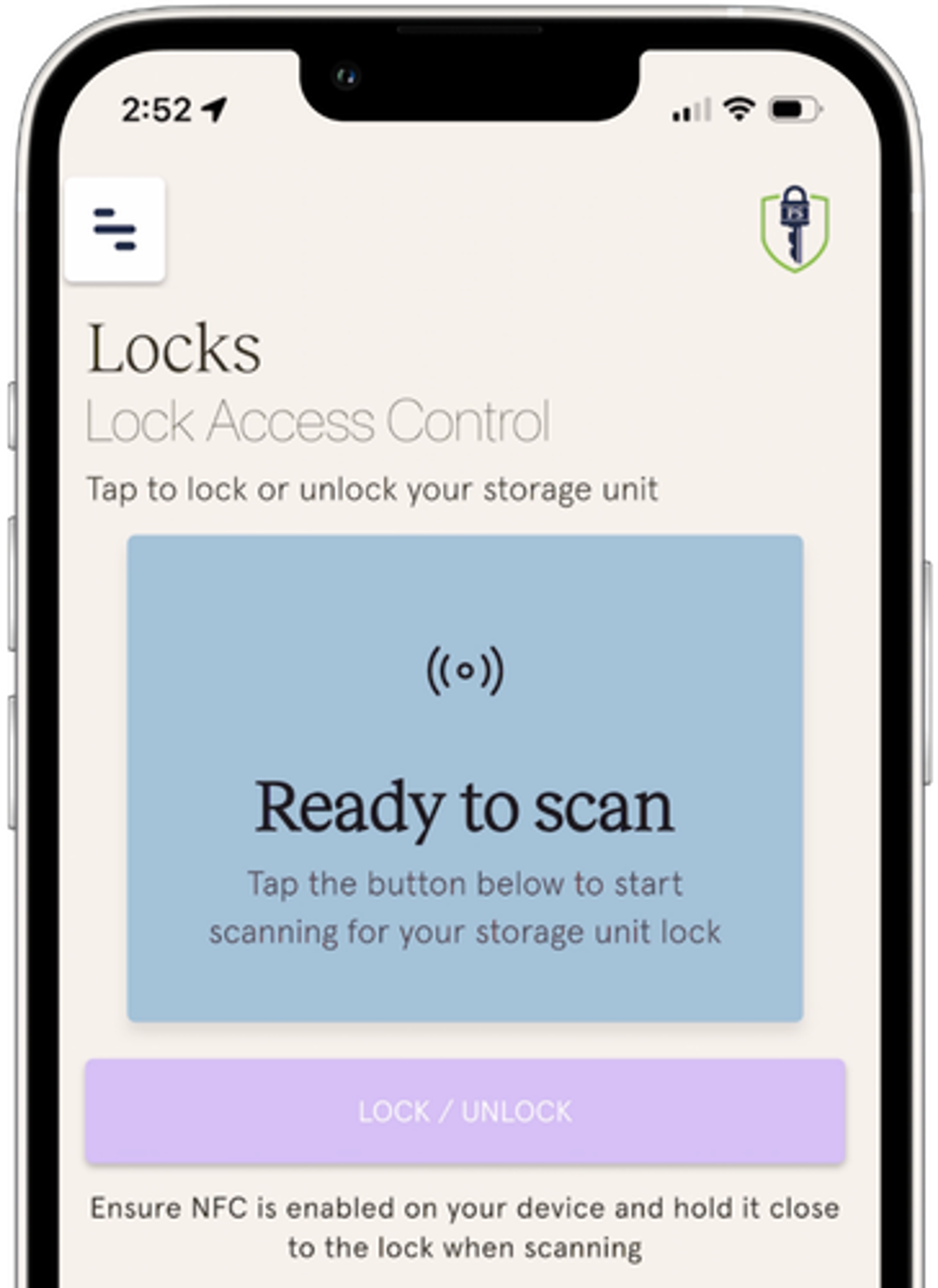
- Under My Units, tap the Lock/Unlock button to go to the Lock Access Control page.
- A Ready to Scan graphic will appear. Tap the Lock/Unlock button at the bottom of the page.
- Place the back of your phone against the plastic side of the lock, right over the Prime Storage logo.
- iPhone: use the area near the back camera
- Android: use the center of the back of the phone
- Hold your phone in place until the success message appears.
The lock should now be open. Having issues? See our FAQ section for troubleshooting or call the Prime Lock help line at (888) 711-2201.
Lock Your Unit
- Close the unit door and place the lock on the latch
- Go to the Lock Access Control page in the app. Tap the Lock/Unlock button.
- Hold the lock closed as you place your phone against the lock. Wait until you see the success message
- Tug on the lock to make sure it's securely latched before you leave.
Troubleshooting tips can be found in the FAQ section. If you're still having issues, call the Prime Lock help line at (888) 711-2201.
Sharing Unit Access
You can grant access to others instantly—no keys required.
Add a Shared User
- Go to the My Units section in the app and find the unit you want to share
- Tap the Share Access button
- Tap Add User
- Enter their:
- First name
- Last name
- Email address
They’ll receive an email with instructions to set up their account and access the unit.
Please note that the facility gate code will be available to the user in the app, but you may wish to send them the code yourself, just in case.
How to Remove Shared Access
- Go to the My Units section in the app and find the unit you want to share
- Tap the Share Access button
- Select the user
- Tap Revoke Access
Access is removed instantly.
How to View Access Logs
Want to know when your unit was accessed?
- Go to the My Units section in the app and find the unit you want to view
- Tap the Share Access button
- Tap the Access Log icon
You can:
- View all activity
- See logs for individual shared users
MORE INFORMATION
Frequently Asked Questions
GET SUPPORT
Need Help?
If you have trouble using your Prime Lock:
- Review the in-app Access Guide
- Call us at (888) 711-2201
- Reach out to your Prime Storage facility manager